
Send, organize and share your API requests in one light app
Build HTTP requests, keep them in collections and folders, reuse values with variables and find your work on every computer. Fast to open, easy on the eyes.

Download for Windows
Free

Download for macOS
Free
Version 1.3.0
Free version available
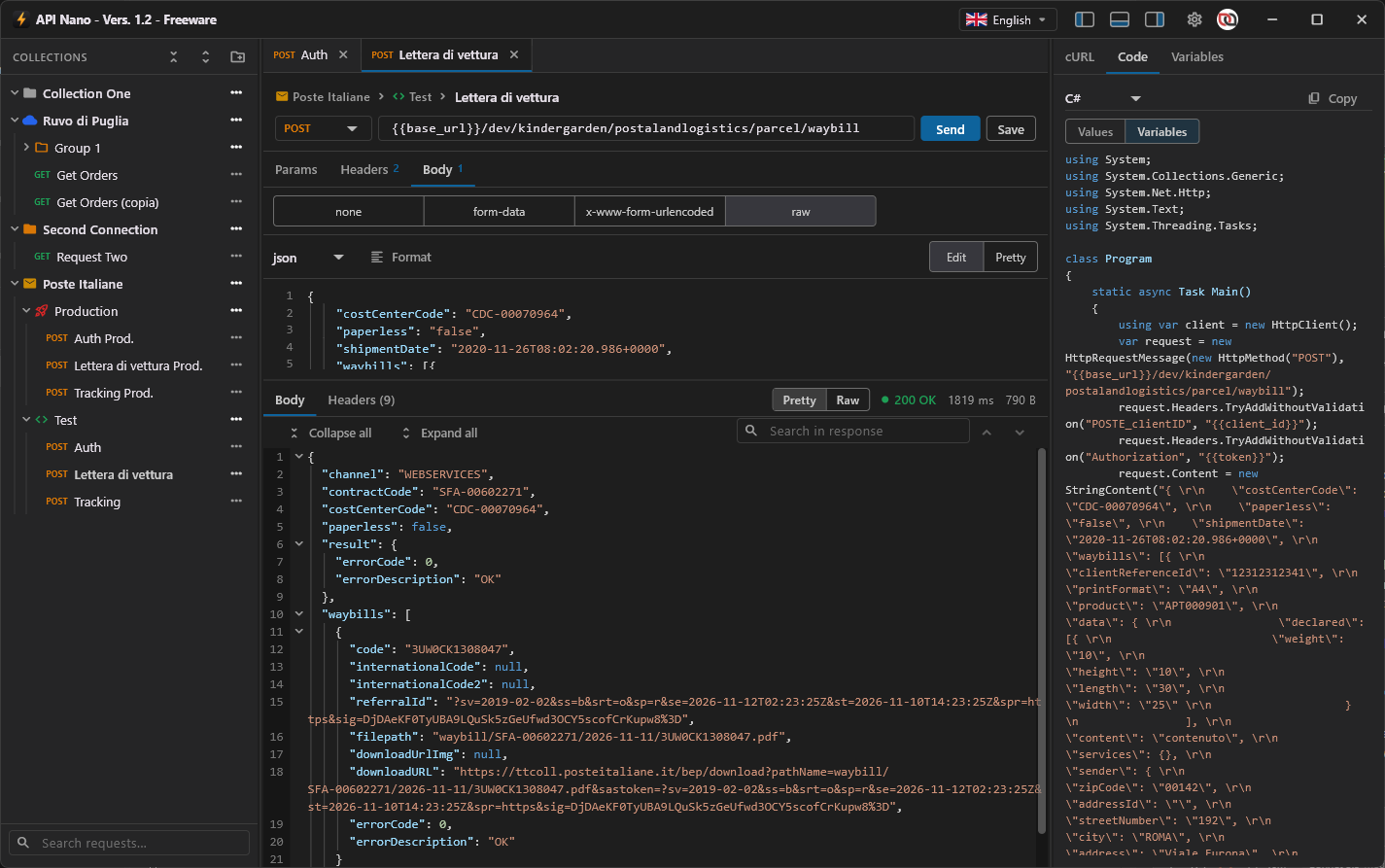
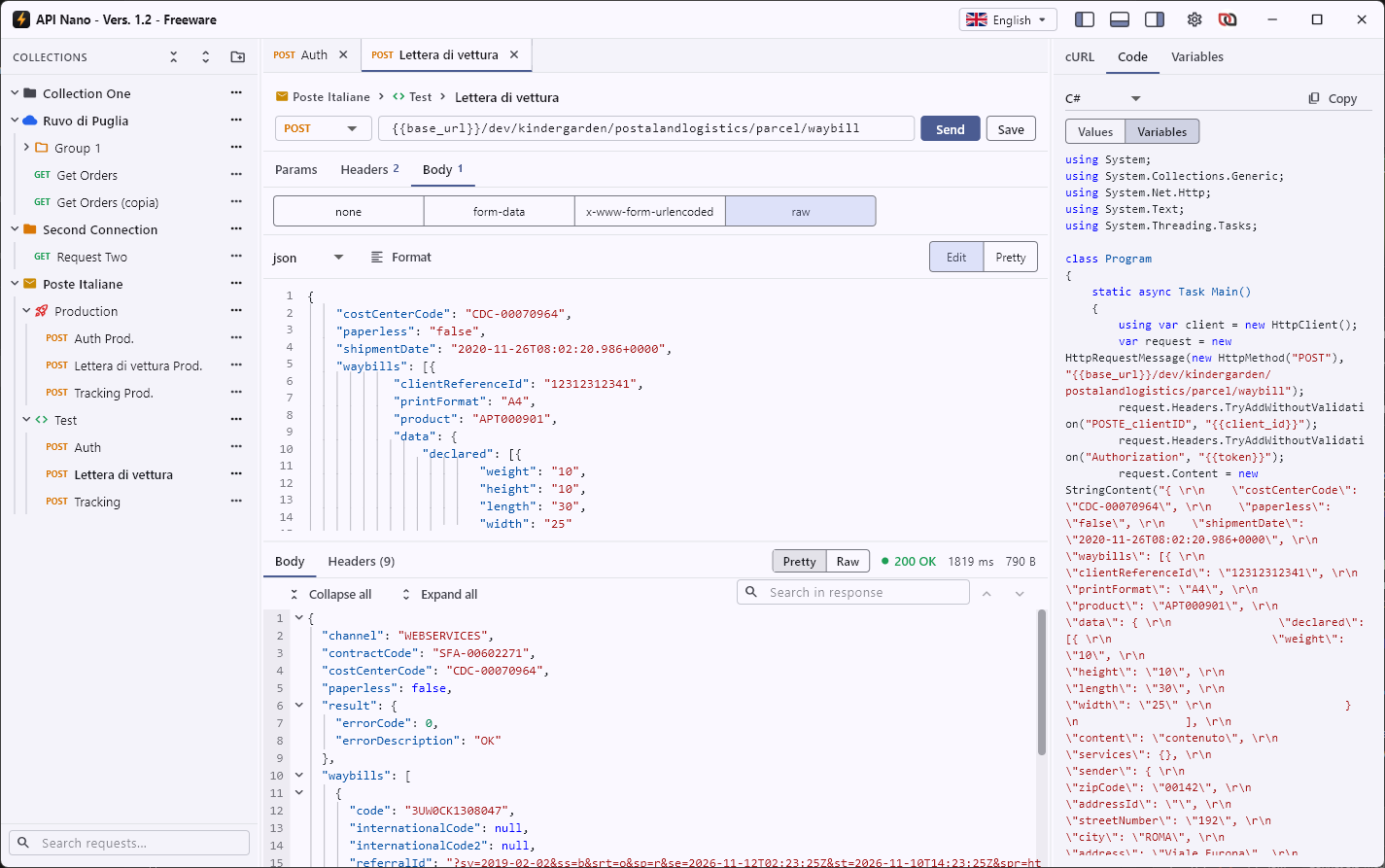
Everything you need to call an API
Choose the method, write the address and press Send. The response comes back formatted and colored, ready to read.
GET, POST, PUT, PATCH, DELETE, HEAD and OPTIONS requests.
Parameters and headers in a grid, with suggestions for the most common headers.
Body as form-data, x-www-form-urlencoded or raw: JSON, XML, HTML, JavaScript and text.
Pretty responses with line numbers, collapsible blocks and search.
Request as cURL and as code in 13 languages, ready to copy.
Collections, folders and variables
Keep related requests together and give each collection and folder its own icon and color. Write a value once and use it everywhere.
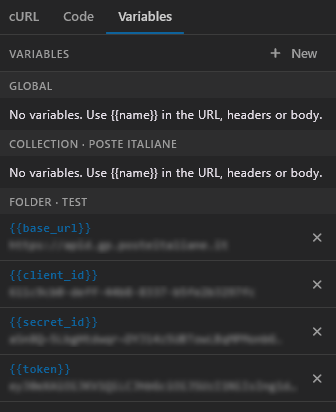
Variables with global, collection and folder scope: the most specific one wins.
Select any text, even in a response, and turn it into a variable with one click.
Show cURL and code with the variable names instead of the values: safe to paste into a guide.
Drag and drop to sort and move requests, folders and collections.
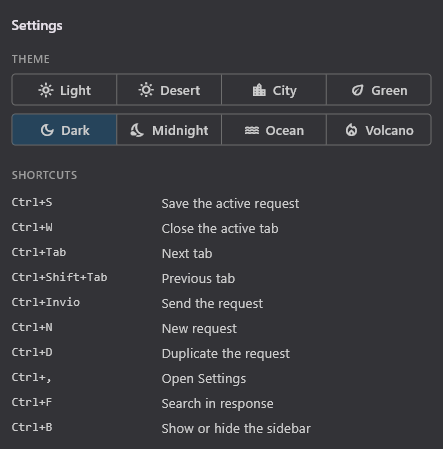
Make it yours: eight themes
Light, Desert, City, Green, Dark, Midnight, Ocean and Volcano. Open several requests in tabs, and every request remembers the tab and the size of the response where you left it.
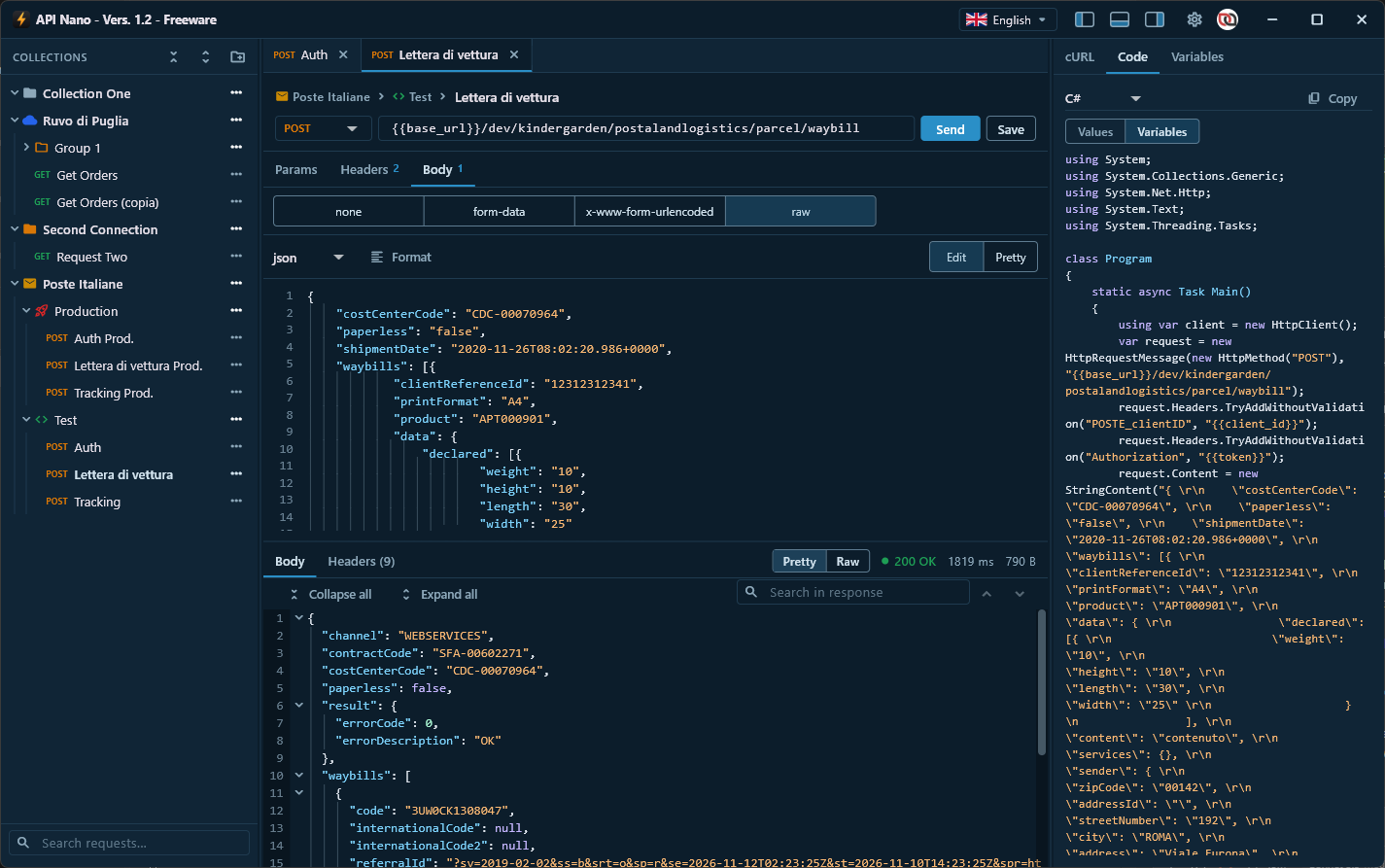
Your requests on every computer
Create a free account to keep your requests in sync between your computers. Everything is encrypted inside the app before it is sent: our servers store only encrypted data and can never read your requests, headers or variables.
End-to-end encryption with a passphrase only you know, plus a recovery code.
Works without an account too: your data stays on your computer.
Sign in with email and password, with Google or with Apple.
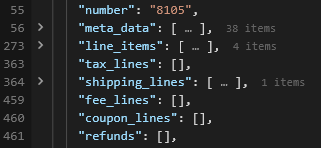
Group the response, show only what you need
In JSON responses every array or object can be folded into a group: the number of items stays visible even when the group is closed. Long responses become easy to read, and you can focus on the fields that matter.
Fold and unfold each group of the response with one click.
The item count (e.g. "38 items") is always visible.
Browse very long responses without scrolling through hundreds of lines.
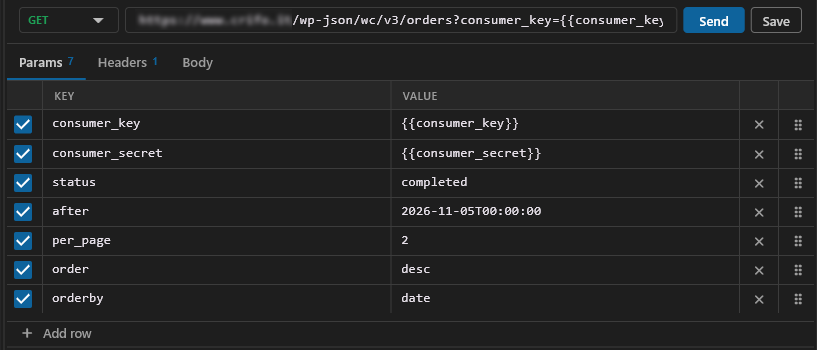
Parameters in a table, enable or disable them
Request parameters sit in a clear table, with key and value on each row. Every parameter has its own checkbox: turn it on or off without losing its value. Add a row with one click and reorder parameters by dragging them.
Enable or disable a parameter without deleting it.
Add new parameters with “Add row”.
Reorder rows by dragging them with the mouse.
Got questions? Look here
The short answers to what people ask us most.
Is API Nano free?
Yes. The Freeware version is free and has no time limit: it saves up to 20 requests. The Professional version has no limit on saved requests. In both versions you can send as many requests as you like: the limit is only on how many you save.
Do I need an account?
No. You can use API Nano on one computer without any account, and your data stays on that computer. An account is needed only to sync between computers and to use a Professional license.
Can you read my requests?
No. When you sync, the app encrypts each request on your computer before sending it. The key is protected by your passphrase, which we never receive. Without it, the data on our servers is unreadable.
What happens if I forget my passphrase?
Use the recovery code shown when you turn on sync. If you lose both, the synced data cannot be recovered by anyone, including us. Your local requests are not affected.
Which systems are supported?
Windows 10 and 11 (64-bit) and macOS 10.15 (Catalina) or later.
What happens when a Professional license expires?
The app warns you and goes back to the Freeware version. Nothing is deleted: your requests stay, and you can add new ones again as soon as you renew or are within the Freeware limit.
Getting started is fast and easy
Download API Nano for Windows or macOS and send your first request in a minute.
Download for Windows
Free
Download for macOS
Free